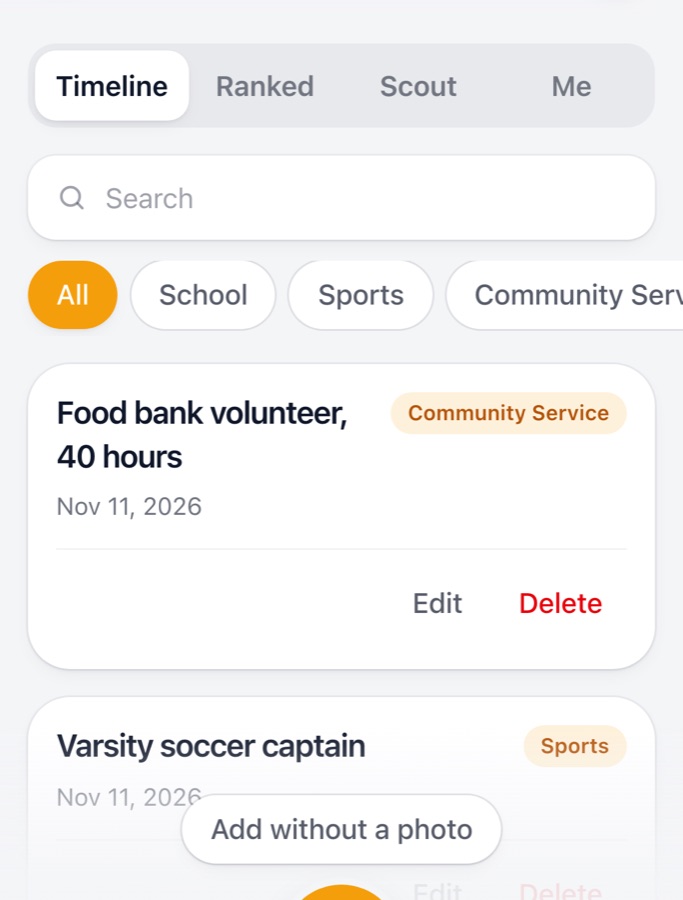
Timeline
Save, organize, search, edit, and revisit achievements.
- Up to five photos per achievement
- Category filters and search
- Full-screen photo viewing
From your first certificate to your biggest milestone, Trophy Case helps you save what you’ve accomplished, understand what matters, and plan what comes next.
For students ages 13–18 and their parents. No App Store needed. Add it to your Home Screen.
How it works
Snap a photo of a certificate, medal, program, or other achievement. Add the details manually or use AI to help fill them in.
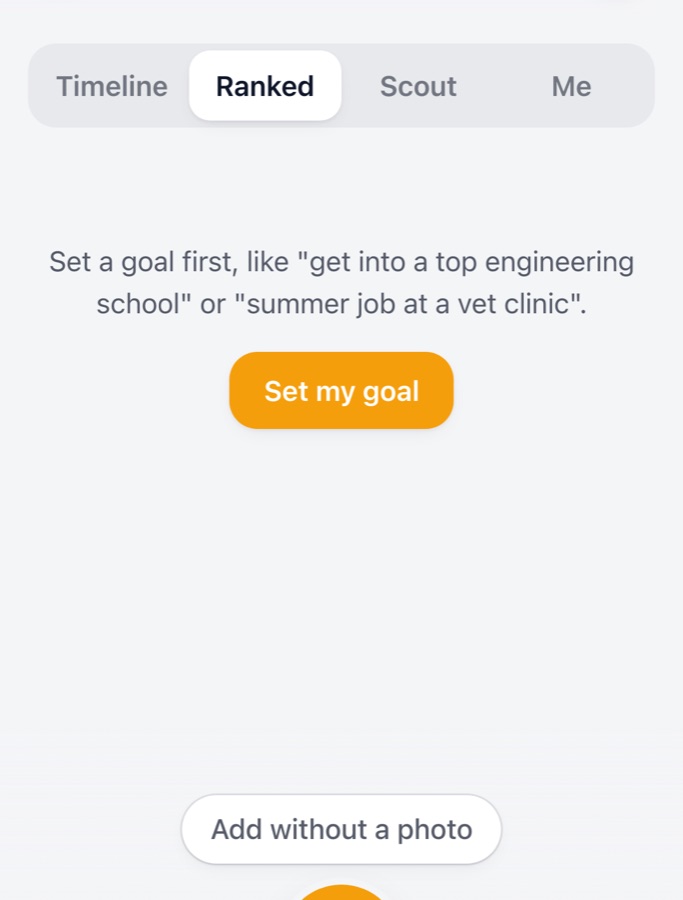
Set a goal, and let AI help rank your achievements by relevance and suggest three next steps.
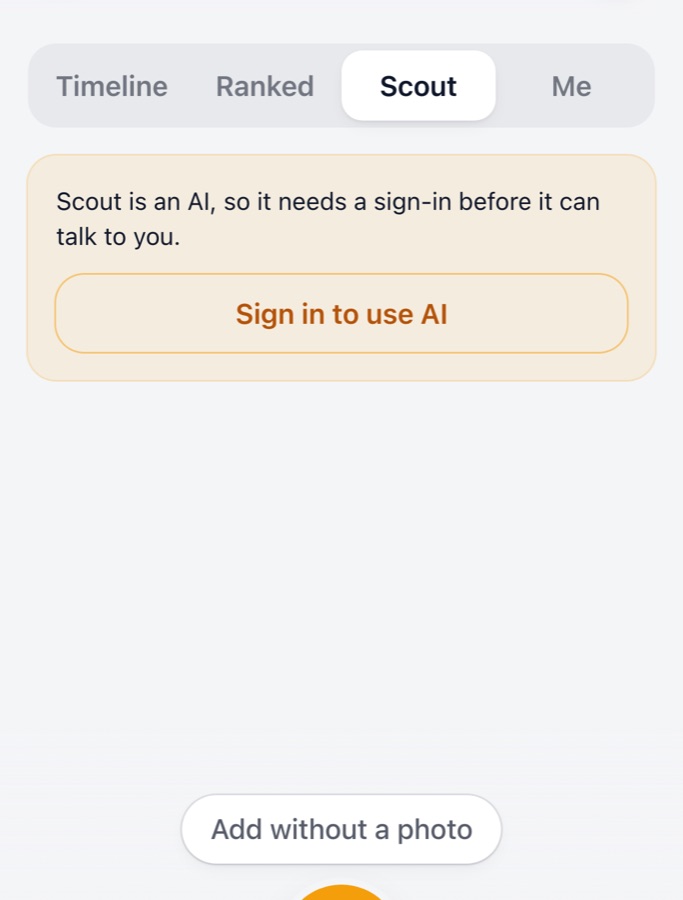
Use Scout, your AI achievement coach, to explore opportunities, review accomplishments, and plan your next move.
Four core features
Trophy Case is organized into Timeline, Ranked, Scout and Me. Screens below are from the live app.
AI feature: needs a Google sign-in.
AI feature: needs a Google sign-in.
The summary is an AI feature: needs a Google sign-in.
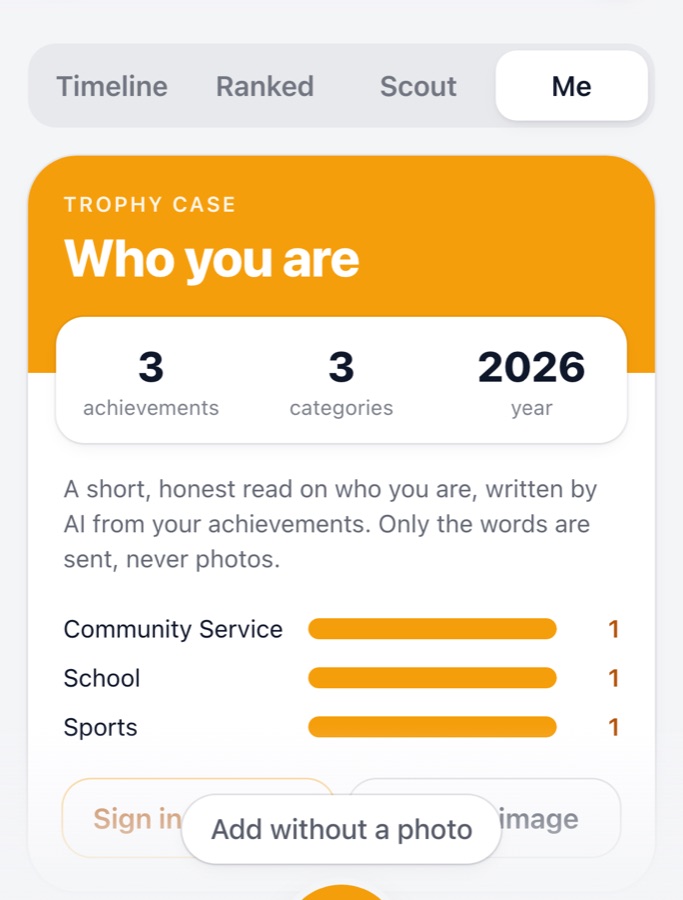
Screenshots are real captures of the live app with sample entries. Ranked and Scout are shown signed out, where they ask you to set a goal or sign in.
Privacy-first design
Here is how Trophy Case handles your information, in plain terms.
No app can promise perfect privacy or security. Read the full Trophy Case privacy policy for details.
Get Trophy Case
No App Store required. Add Trophy Case directly to your Home Screen and open it like an app.
https://trophy-case-trophy-case.vercel.app

On a computer? Scan with your phone’s camera.
Install
Takes about 30 seconds. Then it opens like a normal app.
Scan the QR code or open https://trophy-case-trophy-case.vercel.app in Safari.
Tap the Share button (the square with an upward arrow).
Scroll down and select “Add to Home Screen”.
Tap “Add”.
Open Trophy Case from the new Home Screen icon.
Use Safari for these steps. Button positions can vary slightly between iOS versions.
Open https://trophy-case-trophy-case.vercel.app in Chrome.
Tap the three-dot menu in the top-right corner.
Select “Install app” or “Add to Home screen”, depending on your device.
Confirm by tapping “Install” or “Add”.
Open Trophy Case from your Home Screen.
Menu names and icons can differ between devices and browser versions. If you don’t see these exact labels, look for an option that adds the page to your Home Screen.
FAQ
Yes, Trophy Case is currently free to use. There is no subscription or checkout in the app today.
No. Trophy Case is an installable web app (a progressive web app), not an App Store or Google Play app. You open it in your phone’s browser and add it to your Home Screen. Follow the steps above.
Core features that use your saved achievements can work without a connection once the app has loaded on your device. AI features (photo reading, Ranked, Scout and the profile summary) need an internet connection.
On your device, in your browser’s storage (IndexedDB). Our servers don’t keep your achievements or photos, and nothing syncs to the cloud automatically. If you have an account, it holds identity and session information only.
Yes. Trophy Case is built for students aged 13–18 and for parents who want to record a young person’s wins. The app works without an account. AI features need a Google sign-in, and people under 13 can’t sign in.
Not for saving, searching and organizing achievements. An account (Google sign-in) is needed only for the AI features: photo reading, Ranked, Scout and the profile summary.
Yes. You can create a backup file and restore it later, and export your data. The Me tab can also save a shareable profile card as an image.
Because achievements are stored only on your device, clearing site data, uninstalling, or losing or replacing the device can erase them unless you have a backup. Make a backup file regularly, and restore it on your new phone.
Built by LearnTAV, alongside EcoPrompt. Real products, built with AI.